Working from home health and safety checklists
In partnership with Omny Group.
In partnership with Omny Group.
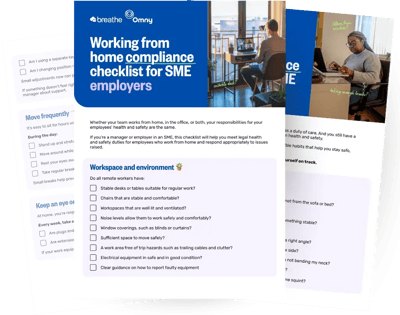
Working from home has become part of everyday life for many teams. But whether someone is working from home full time, occasionally, or as part of a hybrid setup, health and safety responsibilities still apply.
This page brings together two practical checklists designed to help both employers and employees stay on top of safe home working.
Working from home compliance checklist for employers: This checklist helps employers understand their legal responsibilities and how to support remote workers.
Working from home compliance checklist for employees: This helps employees sense check their own set-up and build small habits that protect their health and wellbeing.
Together, they offer a simple starting point for managing health and safety when work happens outside the office.
Whether your team works from home, in the office, or both, your responsibilities for your employees’ health and safety are the same.
If you’re a manager or employer in an SME, this checklist will help you meet legal health and safety duties for employees who work from home and respond appropriately to issues raised.
Do all remote workers have:
▢ Stable desk or tables suitable for regular work?
▢ Chairs that are stable and comfortable?
▢ Workspaces that are well lit and ventilated?
▢ Noise levels allow them to work safely and comfortably?
▢ Window coverings, such as blinds or curtains?
▢ Sufficient space to move safely?
▢ A work area free of trip hazards such as trailing cables and clutter?
▢ Electrical equipment in safe and in good condition?
▢ Clear guidance on how to report faulty equipment
Do all remote workers have:
▢ Working smoke alarms in their home (one per floor)?
▢ Clear exit routes from their work areas?
▢ Clear guidance on what to do and who to contact in an emergency situation
▢ Clear guidance on what counts as and how to report work-related incidents and accidents?
▢ Access to basic first aid supplies?
Do all remote workers have:
▢ A chair that provides adequate back support and has adjustable seat height and back support?
▢ A screen positioned directly in front of them and at a comfortable viewing distance?
▢ The top of their screen roughly at eye level? This can be achieved by using a monitor or laptop stand.
▢ A separate keyboard and mouse for regular laptop work, positioned so arms feel relaxed?
▢ Enough space available for all equipment and to rest the wrists and forearms?
▢ A screen that is clear, stable and free from excessive glare?
▢ A footrest or the ability to lay their feet flat on the floor while working?
▢ The ability to take regular breaks?
You must also:
▢ Check that, if a remote employee is using a separate screen or monitor, it can tilt and swivel.
▢ Fund eye tests for all employees who use display screen equipment - whether they work from home or in office - and make sure that all employees are aware of this entitlement. It is recommended this happens every two years.
▢ Make sure that any reported aches, pains or discomfort are addressed.
You should provide safety advice for remote workers who work with paper documents, hand-write or draw, or use smart phones or tablets for work.
When working with paper documents, employees should:
▢ Have the option of using document holders.
▢ Avoid twisting or reaching.
▢ Have adequate lighting.
For extended handwriting or drawing, employees should:
▢ Be able to maintain neutral wrist posture.
▢ Have their forearms supported.
▢ Be able to take regular breaks.
When using smartphones and tablets, employees should:
▢ Avoid prolonged unsupported use.
▢ Raise devices where possible.
▢ Avoid cradling phones between the shoulder and ear.
Employees who work from home are considered lone workers, as they are working without direct supervision or immediate support.
Under health and safety law, you must assess any risks associated with lone working and take reasonable steps to manage them. This includes mental health risks.
You should take reasonable steps to make sure that remote workers have:
▢ Regular contact with their manager and team
▢ A clear process for raising issues and concerns
▢ Clear guidance on working hours and expectations
▢ A manageable workload
▢ Clear boundaries around out-of-hours contact
You should also make sure that any signs of stress, isolation or burnout are identified, recorded and addressed.
Any lone working and wellbeing risks should be considered as part of your overall risk assessment process and reviewed where working arrangements change.
You should also make sure that:
▢ Reasonable adjustments have been considered where relevant.
▢ Health and safety guidance and training have been provided where needed.
▢ Any employees who work from home and use display screen equipment have completed a DSE assessment at home and for all other working locations.
▢ Any employees who work from home have completed working from home risk assessment.
▢ Home working risk assessments and DSE assessments are reviewed regularly and when:
Working arrangements change
The employee moves home
New equipment is introduced
Discomfort or incidents are reported
When you work from home, your employer still has a duty of care. And you still have a responsibility to take reasonable care of your own health and safety.
This isn’t about paperwork. It’s about small, sensible habits that help you stay safe, comfortable and compliant.
Use these daily and weekly prompts to keep yourself on track.
Each day, ask yourself:
▢ Am I working somewhere stable and suitable, not from the sofa or bed?
▢ Is my lower back supported by my chair?
▢ Are my feet flat on the floor, or supported by something stable?
▢ Are my shoulders relaxed, not hunched? Are my elbows close to my body and roughly at a right angle?
▢ Is my screen directly in front of me, not off to one side?
▢ Is the top of my screen roughly at eye level so I’m not bending my neck?
▢ Am I about an arm’s length away from the screen?
▢ Is there any glare from windows or lights making me squint?
▢ Am I using a separate keyboard and mouse for longer periods of work?
▢ Am I changing position regularly rather than staying in one fixed posture?
Small adjustments now can prevent back, neck and wrist problems later.
If something doesn’t feel right, don’t push through it. Adjust your set-up or speak to your manager about support.
It’s easy to sit for hours without noticing.
During the day:
▢ Stand up and stretch at least once an hour
▢ Move around while on calls where you can
▢ Rest your eyes away from the screen regularly
▢ Take regular breaks
Small breaks help prevent aches, fatigue and long-term issues.
At home, you’re responsible for spotting obvious risks.
Every week, take a quick look:
▢ Are plugs and cables in good condition?
▢ Are extension leads overloaded?
If your work equipment is damaged or faulty, report it. Don’t try to fix it yourself.
Accidents can happen - even at home.
▢ Keep your workspace and walkways clear of clutter and cables
▢ Make sure the area is well lit
▢ Keep drinks away from electrical equipment
▢ Avoid working in spaces where you’re likely to be interrupted in a way that could cause accidents
If you hurt yourself (or nearly do) while working, report it to your manager as soon as possible.
You’re unlikely to think about this day to day, but it matters.
▢ Make sure you have a working smoke alarm
▢ Keep heat sources clear
▢ Know your exit route
▢ Avoid blocking exits with equipment or furniture
When you’re working from home, there isn’t an office first aider nearby. So it’s important to be prepared for small, everyday incidents.
You should:
▢ Know where a basic first aid kit is kept in your home
▢ Make sure it’s stocked with essentials like plasters, antiseptic wipes and bandages
▢ Know who to contact at work if you have a work-related injury
If you’re injured while working from home, even if it seems minor, let your manager know. They may need to record the incident and offer support.
You don’t need specialist equipment in most cases. But having basic supplies and knowing what to do gives you confidence if something happens.
Working from home can blur the boundaries between your work and home life. It’s important to check in with yourself regularly to look after your mental wellbeing.
Ask yourself:
▢ Do my manager and my team know my usual working hours, how to contact me and when they can contact me?
▢ Am I switching off at the end of the day?
▢ Am I taking proper breaks?
▢ Do I feel comfortable raising concerns about workload?
▢ Am I speaking to my manager and team regularly?
If you’re struggling, speak to your manager early. Support is there, but only if they know you need it.
If your home set-up changes, you move house, develop pain or have a health condition that affects your work, let your manager know.
If you’re unsure about your set-up or your safety, speak to your manager. It’s always better to ask than to guess. Working from home works best when everyone feels comfortable raising concerns and asking for support.
This resource was created in partnership with health and safety experts at Omny Group. It is intended as general guidance only and designed for low-risk small to medium sized businesses. For tailored legal advice and support, you can get in touch with the Omny Health & Safety team here.
Health and safety documents should be stored securely, kept up to date and be easy to access when you need them.
Breathe’s Health and Safety module lets you create risk assessments, store policies and log incidents all in one secure place, with permission-controlled access. Because it connects with your employee records, you can see everything in context, from completed assessments to absence and contracts.
What counts as a work-related incident or accident at home?
An incident is work-related if it arises out of or in connection with the work being carried out.
Examples may include:
Tripping over or almost tripping over work equipment during working hours
Injury or risk of injury caused by faulty employer-provided equipment
Musculoskeletal pain or risk of musculoskeletal pain linked to prolonged screen use
Incidents unrelated to work activities, such as personal domestic tasks, would not usually be considered work-related.
Equipment provision for remote workers – what is legally required?
Under the DSE Regulations provided by the HSE, all employers who regularly use display screen equipment must assess risks and reduce them so far as is reasonably practicable.
There is no requirement to automatically provide full office furniture or equipment for every home worker. But, if a risk assessment identifies that equipment is necessary to reduce risk, you must take reasonable steps to address it.
Options may include:
Providing equipment
Reimbursing reasonable purchases
Allowing access to an office workspace
Adjusting duties
If risks remain significant and cannot be controlled, continued home working may not be suitable.
The same rules apply for things like first aid supplies and smoke alarms.
What counts as “regular breaks”?
Under the Working Time Regulations 1998, workers over 18 are entitled to one uninterrupted 20-minute rest break when working more than six hours.
For screen work, the HSE advises short, frequent breaks rather than long infrequent ones.
Many experts recommend the 20-20-20 rule to reduce eye strain. This means looking 20 feet away from your screen for 20 seconds every 20 minutes.
If an employee says they cannot take breaks:
Review workload and task design
Adjust expectations
Ensure legal rest breaks are possible
What are the legal requirements surrounding eye tests?
All DSE users are entitled to:
An eye test on request
Further tests at intervals recommended by the optician
Basic corrective appliances (such as glasses) where required for DSE work
You must have a clear process for requesting and funding eye tests for all employees - including those who work from home.
Are we legally required to provide health and safety and DSE training for remote workers?
All employers must provide adequate information and instruction on DSE set-ups and health and safety training - even for employees who work from home.
Employees should understand:
How to set up their workstation
The importance of posture and breaks
How to report discomfort
Safe use of employer-provided equipment
Formal classroom training is not always required or convenient for home workers, but guidance must still be clear and accessible. Online training is often considered an affordable and effective option.
What are “Reasonable adjustments”?
Under the Equality Act 2010, employers have a duty to make reasonable adjustments for employees with disabilities or medical conditions where workplace arrangements put them at a disadvantage.
Adjustments may include:
Specialist equipment
Modified duties
Adjusted working hours
Additional support
These should be considered on a case-by-case basis.
What defines a manageable workload?
Legally, there is no fixed number of tasks or hours that defines manageable. But here are some signs that an employee’s workload may not be manageable.
Regularly working beyond contracted hours
Skipping breaks
Increased sickness absence
Repeated complaints of being overwhelmed
Reduced performance or concentration
Withdrawal or isolation in remote settings
Remote workers especially can sometimes appear “fine” because they’re not physically visible. That makes regular check-ins even more important.
If there is any evidence that workload is contributing to stress or ill health, you must take reasonable steps to help reduce that risk.
This could include:
Adjusting deadlines
Redistributing work
Providing additional support
Reviewing staffing levels
Clarifiying priorities

.webp?width=564&height=513&name=Group%2029%20(1).webp)