Weekly staff rota template

Copy a rota that works well, make changes for the week ahead and keep your team up to date with Breathe Rota, Time & Attendance. 

Shifts created

Loved by 17,000+ UK SMEs

Wrexham FC RSPCA Scrub Daddy West Sussex Mind Royal Philharmonic Orchestra Brixton Brewery Ecologi Dryrobe Sussex Wildlife Trust
Smiling manager with a notification reading, This week’s rota is ready.

What is a staff rota template?

A staff rota template gives you a starting point for planning employee schedules, so you don’t have to build the same rota from scratch each week. With Breathe, you can copy a rota that works well, make changes for the week ahead and keep your shift planning in one place.

What can you do with a staff rota template?

Breathe Rota, Time & Attendance helps you:

  • Use an existing staff rota as a starting point, copy it forward and update it for the week ahead. 
  • Plan people across different locations using the employee details, roles and locations already in Breathe. 
  • Check leave information and the cover you’ve set for each role, then spot staffing gaps before publishing the rota. 
  • Let employees see their shifts and updates, while keeping working hours, breaks and overtime together. 

Your complete toolkit for rota planning software

Reuse a rota that works, adjust it for the week ahead and share it with your team.

Copy and update your weekly rota

Start with a rota that already works, then make the changes you need for the week ahead. Breathe Rota helps you keep your shift planning in one place.
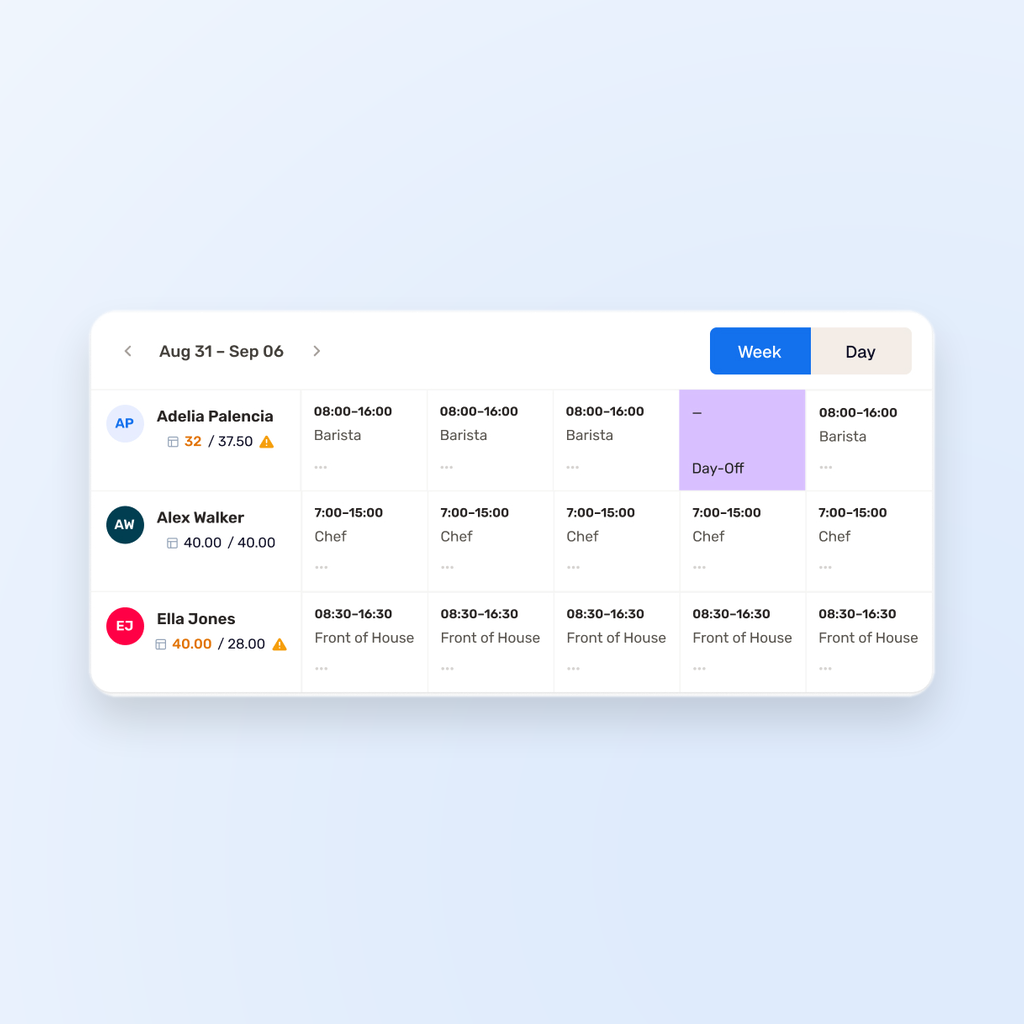
Breathe Rota weekly staff schedule showing employee shifts, working hours and a Thursday day off.

Keep your team up to date

Share the latest rota with your employees, so everyone can see their shifts and any updates. You can also plan people across different locations and manage changes as the week takes shape.
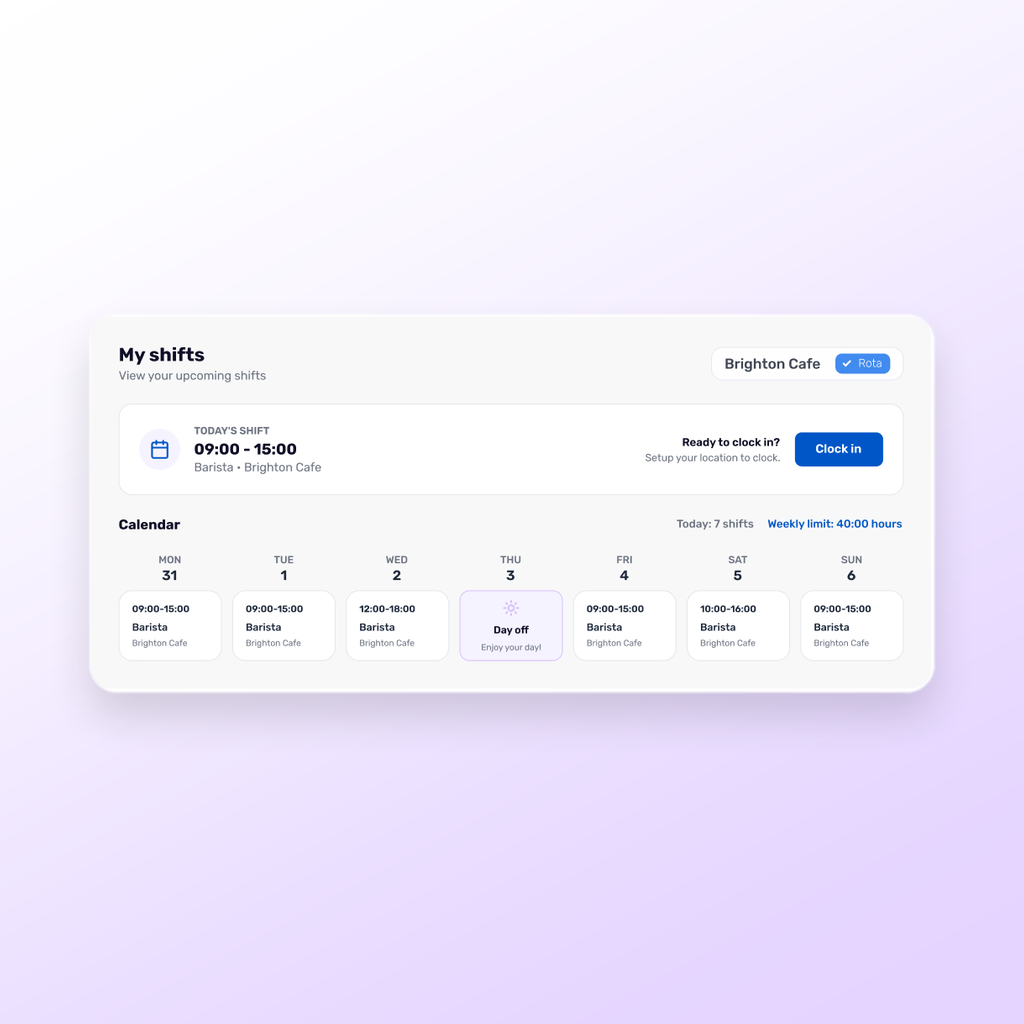
Breathe Rota dashboard showing upcoming shifts, clock-in details and a weekly calendar.

Check the details before you share

Use the employee details, roles, locations and leave information already in Breathe to plan your rota. Check coverage requirements and spot staffing gaps, then review the estimated cost and make any final changes before publishing.
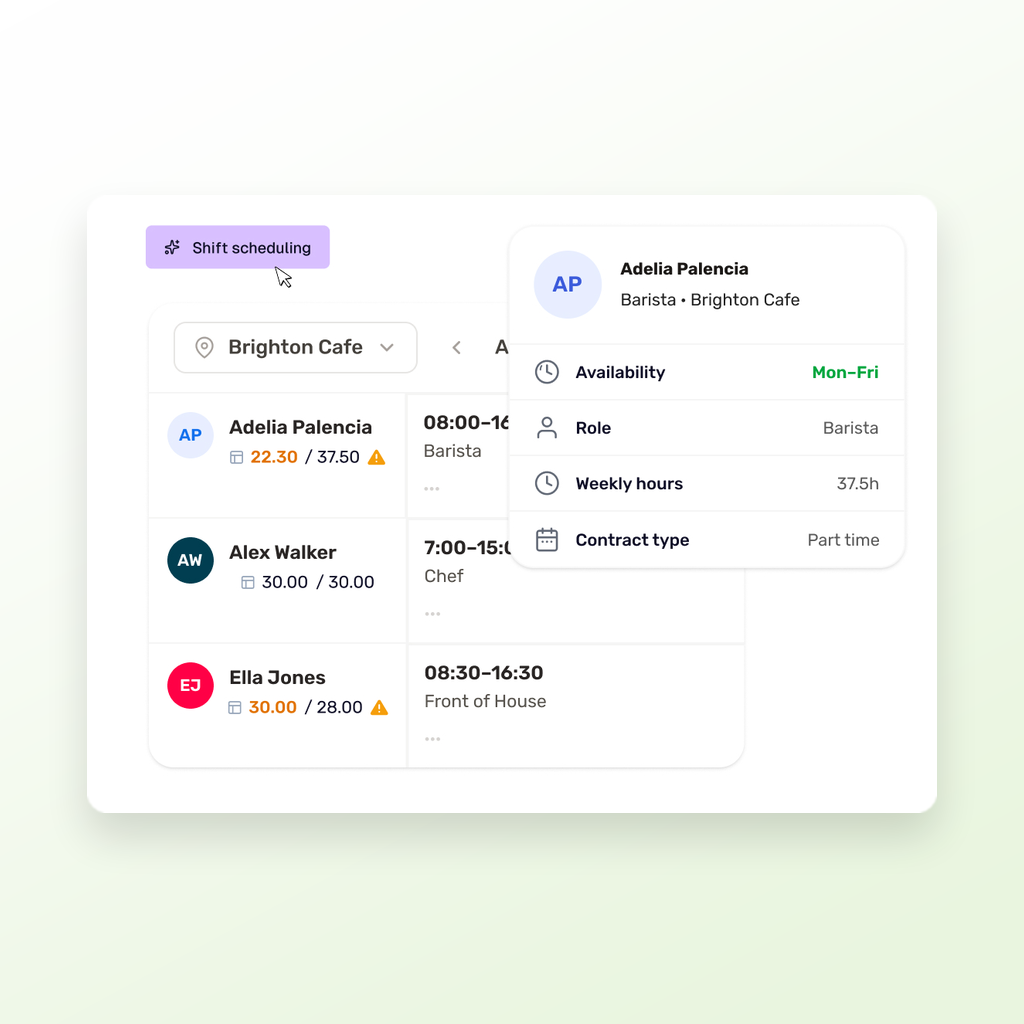
Breathe Rota schedule showing employee shifts and availability details.
Breathe Rota weekly staff schedule showing employee shifts, working hours and a Thursday day off.
Breathe Rota dashboard showing upcoming shifts, clock-in details and a weekly calendar.
Breathe Rota schedule showing employee shifts and availability details.

Our survey says...

 In our 2025 customer survey, we asked Breathe users how our software supports their day-to-day HR. Their answers show the real impact Breathe is having on teams like yours. 

0%

"The Breathe platform is intuitive, easy to use, and requires minimal training for my team."

0%

"Breathe’s security and data protection standards give us confidence in handling sensitive employee information."

0%

"Whenever we need support, Breathe’s support team is responsive, helpful, and resolves issues quickly."

Breathe makes HR admin a breeze

With 40+ features and growing, Breathe makes HR admin easy for businesses with up to 250 people.

What good weekly rota planning looks like in practice

A weekly rota template should give you a useful starting point, not create another job to manage. The best approach is to build on a rota that already works, then make the changes needed for the week ahead. This keeps staff scheduling practical while helping managers respond to leave and changing cover needs. 

Start with a rota that reflects your team

Every business has different roles, locations and working patterns. Using the employee information already held in Breathe gives managers a clearer starting point when planning shifts and helps keep staff rota details together.

Leave room for change

A rota template is only useful if it can adapt to the week in front of you. Copying an existing rota lets managers make changes for different staffing needs, plan people across multiple locations and respond when availability or leave changes.

Check the rota before sharing it

A quick review can prevent avoidable problems later. Check for gaps and clashes and, where coverage requirements are set up, check the required cover before sharing the final staff schedule. Then review the estimated cost of the week before publishing it.

Frequently asked questions

  • What is a staff rota template?

  • Can I copy an existing staff rota?

  • Can I check staff availability before sharing a rota?

Join over 17,000 SMEs that choose Breathe as their #1 HR software provider

Group 29 Group 29 (1)